


Read&Write Tool is a small application for Windows computers that allows you to flash or write IMEI on the Mediatek, Spreadtrum/Unisoc, and Qualcomm Devices (including feature phones, smartphones, and tablets).
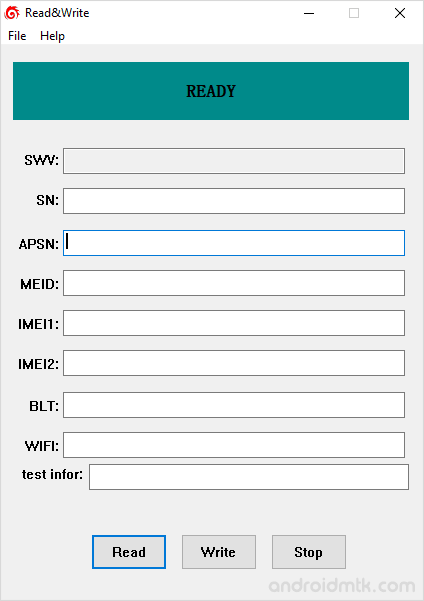
Features of Read&Write Tool
Read&Write Tool provides features that simplify writing or fixing IMEI. Exploring each feature will help you understand its function and benefits.
Simple Interface
Read&Write offers a clean layout that lets users quickly read current device data or write new numbers. It fully supports both single and dual-SIM mobile hardware configurations.
Flash IMEI on Mediatek Device
Easily update IMEI on any Mediatek smartphone or tablet. This specific process requires the original database files, known as AP and BP, which are found within your official stock firmware.
Flash IMEI on Spreadtrum/Unisoc Device
Update your Spreadtrum or Unisoc devices without any extra hassle. This feature is very convenient because it does not require any external database files to complete the flashing process successfully.
Flash IMEI on Qualcomm Device
This utility supports Qualcomm chipsets for smartphones and tablets. You can perform the write operation immediately, as the software handles communication without requiring specific AP or BP database files.
Connectivity Address Repair
Beyond basic identification, this tool lets you flash Bluetooth and Wi-Fi addresses. It ensures all connectivity modules on your tablet or smartphone have the correct hardware identification data assigned.
Wide Device Compatibility
Read&Write works across a vast range of hardware, including older feature phones and modern smartphones. It provides a universal solution for mobile brands worldwide that use supported chipset architectures.
Download Read&Write Tool
The following links let you download the tool for Windows (32-bit or 64-bit).
| Version | Download |
|---|---|
| v1.1 | Link |
| v1.3 | Link |
Notes
- How to use: If you want to learn to use the tool to write IMEI, then head over to How to use ReadWrite Tool page.
- Caution: Flashing IMEI other than the Original is illegal in many countries. Therefore, we recommend that you flash or write only the original IMEI.
- Alternative Tool: SN Write Tool allows you to write IMEI on Mediatek Devices, WriteIMEI Tool allows you to write IMEI on Spreadtrum/Unisoc devices.
- Credits: Read&Write is created and distributed by WangWenjiang (developer). So full credit goes to him for sharing the tool for free.

