


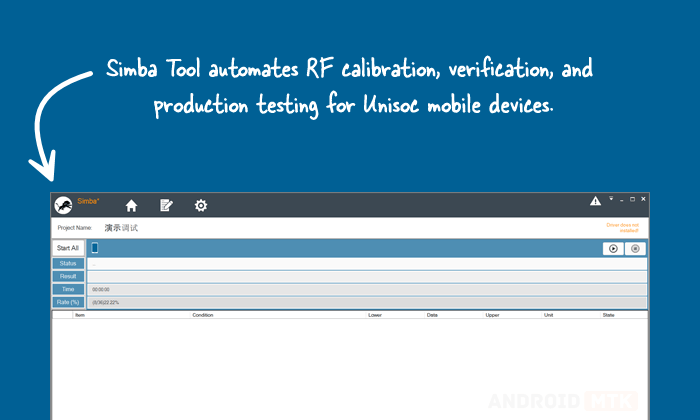
Simba Tool is a highly integrated automatic test system designed by Unisoc (formerly Spreadtrum) for production line testing and calibration of mobile devices. It simplifies RF calibration, verification, firmware handling, security deployment, and various manufacturing tasks.
Features of Simba Tool
Simba Tool serves as a complete solution for production test engineers, bridging complex RF and manufacturing processes into an automated workflow. It supports efficient testing of cellular and wireless connectivity systems while integrating with factory environments.
RF Calibration and Verification
Simba excels in RF calibration and verification for cellular technologies (2G/3G/4G) and WCN systems (WiFi, Bluetooth, GPS). It handles RF path loss correction, ensuring accurate performance on the production line.
Antenna and Current Testing
It supports antenna testing and current consumption measurements, helping identify hardware issues early in the manufacturing process.
IMEI, SN, MAC, and MEID Management
Simba allows writing and checking critical identifiers such as IMEI, Serial Number (SN), MAC addresses, and MEID, as well as security deployments such as SIMLOCK, Google Attestation Keybox, IFAA, and Soter.
Firmware Download and Database Integration
It facilitates DUT (Device Under Test) firmware downloads and integrates with MES (Manufacturing Execution System) and local databases for seamless tracking and reporting.
Multi-DUT Support
Simba supports testing up to 4 DUTs simultaneously. It features a user-friendly interface with sequence editor for customizing test items, real-time status monitoring, pass/fail reporting, and alarm notifications for failures.
Download Simba Tool
Following are the Download links from which you can download the tool for Windows (32-bit or 64-bit).
| Version | Download |
|---|---|
| R8.0.0001 | Link |
| R8.0.0015 | Link |
Notes
- Professional Tool: Simba is intended for production test or support engineers in manufacturing environments. It requires proper hardware setup and is not for end-user device flashing or repair without authorization.
- Sequence Files: Each Unisoc chipset has a specific .seq file. Default files should not be modified directly; save a copy for customizations.
- Credits: Simba Tool is developed and distributed by UniSoc. Full credit goes to them for this production testing solution.

