


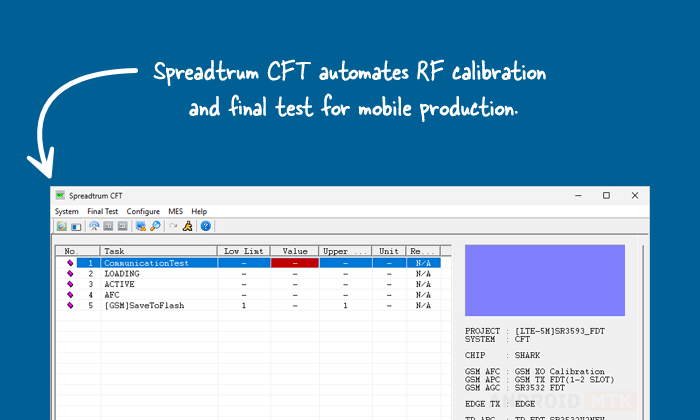
Spreadtrum CFT is a professional calibration and final test tool developed by Spreadtrum (Unisoc) for mobile phone production lines. It automatically performs RF tuning, battery calibration, and performance verification to ensure devices meet 3GPP specifications.
Features of Spreadtrum CFT
Spreadtrum CFT delivers reliable RF calibration and final testing for mass production. It helps manufacturers tune parameters accurately and detect defective units early in the production process.
Battery Calibration (ADC)
CFT performs Automatic Battery DAC Calibration to adjust ADC parameters, ensuring accurate battery level reporting and proper power management on the mobile device.
RF Parameter Tuning
CFT automatically tunes essential RF parameters including AFC, APC, and AGC to optimize frequency control, power output, and gain settings for stable cellular performance.
RF Performance Final Test
CFT conducts comprehensive final testing in accordance with 3GPP specifications, covering TX power, phase error, spectrum emission, ACLR, EVM, sensitivity, and other key RF metrics.
Current Consumption Testing
CFT measures current in different modes, such as power off and deep sleep, to verify power efficiency and identify abnormal leakage issues during manufacturing.
System Setup and Automation
CFT supports flexible system roles (CFT, FT only, Antenna Test), auto-start on phone connection, handover configurations, and detailed logging for efficient production line operation.
Download Spreadtrum CFT
Following are the Download links from which you can download the tool for Windows (32-bit or 64-bit).
| Version | Download |
|---|---|
| R8.0.0001 | Link |
| R9.0.0001 | Link |
| R9.15.1501 | Link |
| R11.0.0001 | Link |
| R17.0.0001 | Link |
| R21.0.0001 | Link |
Notes
- Professional Tool: CFT is intended for production line engineers and technical support. Proper hardware setup (GPIB instruments, power supply, RF cables) is mandatory.
- Configuration: Settings are managed via System Setup, including calibration items, final test standards, cable loss, and advanced options. Modify CALPARAM.ini with password “sprd” for advanced tweaks.
- Related Tools: CFT supports older instruments like R&S CMU200, Agilent 8960, and requires proper GPIB setup with NI drivers. For modern Unisoc chipsets, use the newer Simba Tool.
- Credits: Spreadtrum CFT is developed and distributed by Spreadtrum Communications, Inc. (now Unisoc). Full credit goes to them for this production testing solution.

