


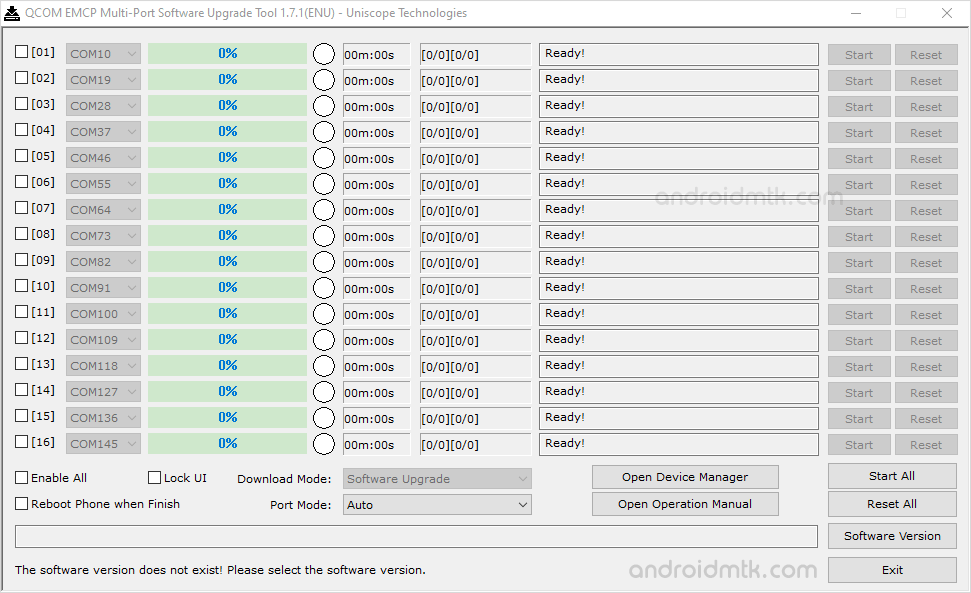
The Qcom EMCP Multi-Port Software Upgrade Tool is a small application for Windows Computerscomputers that allows you to flash or install firmware on Devices powered by Qualcomm chipsets.
Features of Qcom EMCP Multi-Port Software Upgrade Tool
Check out these useful features that help you manage your mobile device firmware easily and quickly using this powerful tool on any compatible Windows computer or laptop.
Portable Application
It is a fully portable application, meaning no installation is required on your PC. Extract the package and run the executable file to begin your flashing tasks.
Flash Firmware
Easily install or flash stock firmware on your Qualcomm-based devices. Load the correct firmware file, select your COM port, and click Start to begin the automated installation process immediately.
Support Qualcomm Chipset
It provides extensive support for all smartphones and tablets running on Qualcomm chipsets. Once the correct USB drivers are installed, the tool identifies your connected device for seamless flashing.
Support .mbn and .xml format
It offers native support for both .mbn and .xml firmware formats. These common file types are readily available in stock firmware packages for various Qualcomm smartphones and tablet models.
Multi-Port Connectivity
It allows you to connect and manage multiple devices simultaneously through different COM ports. This efficient feature saves time by enabling simultaneous batch firmware updates across multiple mobile units.
Download Qcom EMCP Multi-Port Software Upgrade Tool
The following links let you download the tool for Windows (32-bit or 64-bit).
| Version | Download |
|---|---|
| v1.2.4 | Link |
| v1.4.6 | Link |
| v1.5.2 | Link |
| v1.5.3 | Link |
| v1.5.5 | Link |
| v1.5.9 | Link |
| v1.6.1 | Link |
| v1.6.2 | Link |
| v1.7.1 | Link |
Notes
- How to Use: If you want to learn to use the tool to flash or install stock firmware, then head over to the How to use Qcom EMCP Multi-Port Software Tool page.
- Write or Fix IMEI: If you want to write or fix IMEI on your Qualcomm Device, then head over to the How to use Qualcomm Smartphone Write IMEI Tool page.
- Qualcomm USB Driver: If you are looking for the original Qualcomm USB Driver, then head over to the Qualcomm Driver page.
- Alternative Tool: We have shared a bunch of tools that also allow you to flash or install stock firmware on Qualcomm Devices. You can check them all from our Qualcomm Tool section.
- Credits: Qcom EMCP Multi-Port Software Upgrade Tool is created and distributed by Uniscope Technologies Shanghai Co Ltd. So, full credit goes to them for sharing the Application for free.

