


Agenew Flash Tool is a small application for Windows computers that allows you to flash or install stock Firmware (ROM) on devices powered by the Mediatek Chipset.
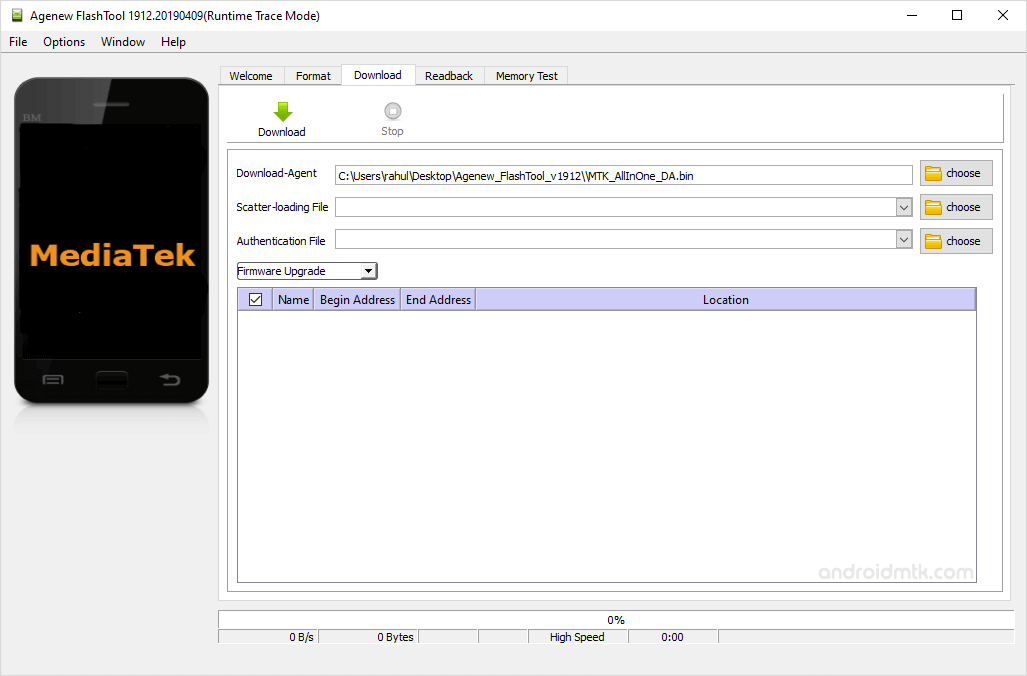
Features of Agenew Flash Tool
Check out these great features that make updating your phone simple. These features help you quickly and safely manage the firmware on your MediaTek device without any complicated setup steps.
Portable Application
It works as a portable tool, meaning no installation is required on your PC. Extract the package and run the executable file to start your firmware tasks.
Flash Firmware
Easily install stock ROMs on any MediaTek device by loading the scatter file. This process helps restore your phone to its original settings or fix various software-related system issues.
Support Mediatek Chipset
It offers broad compatibility across all MediaTek-powered hardware, including smartphones and tablets. Once you install the correct drivers, the software instantly recognises your connected device for seamless flashing.
Support Scatter Format
It specifically handles scatter-based firmware files commonly found in MediaTek software packages. It reads the text-based maps to ensure every part of the ROM is installed correctly.
Simple User Interface
The clean layout ensures that even beginners can navigate the flashing process without confusion. Large buttons and clear labels guide you through selecting files and safely initiating the firmware update.
Download Agenew Flash Tool
The following links provide the tool for Windows (32-bit or 64-bit).
| Version | Download |
|---|---|
| v1620 | Link |
| v1728 | Link |
| v1804 | Link |
| v1848 | Link |
| v1912 | Link |
Notes
- How to Use: If you want to learn to use the tool to flash or install stock firmware, then head over to the How to use Agenew Flash Tool page.
- Alternative Tool: SP Flash Tool and SP MDT Tool are the best alternatives to Agenew Tool.
- Mediatek USB Driver: If you are looking for the original Mediatek USB Driver, then head over to the MTK Driver AutoInstaller page.
- Credits: Agenew Tool is created and distributed by Agenew, Inc. So, full credit goes to them for sharing the Application for free.

