


Intex Phone Suite is a handy application that lets Intex users transfer data between devices or manage multimedia content on their phones, making it more accessible and convenient.
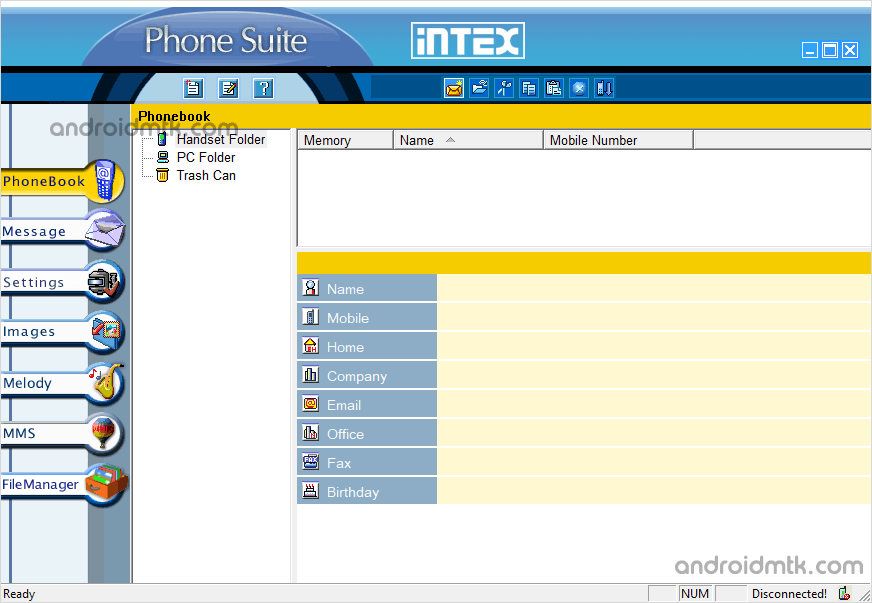
Features of Intex Phone Suite
Intex PC Suite offers a range of features that simplify managing your mobile data easily:
Phonebook
Manage your entire contact list directly from your computer. You can easily create new entries, edit existing details, delete old contacts, or sync your handset data to improve organization.
Messages
Take full control of your SMS inbox by composing, replying to, or forwarding messages from your PC. It also lets you delete unwanted texts and archive conversations on your handset.
Images
View all your camera photos and create custom wallpapers with specific resolutions. This tool supports a variety of formats, including BMP, PNG, GIF, JPG, JPEG, and TIFF, for your convenience.
Melody
Customize your ringtones by creating or editing melody files. You can quickly view the audio list on your device and easily upload new tracks to personalize your phone’s sound profile.
MMS
Easily handle multimedia messages by creating or editing content on your PC. You can also transfer the entire MMS list from your handset or upload new media files for sharing.
File Manager
Browse all files and folders on your Intex device with a simple interface. The manager lets you cut, copy, or delete data to keep your storage organized and clean.
Settings
Configure your connection preferences, select your preferred language, and choose between phone or SIM memory. You can also import your professional contact data directly from Microsoft Outlook into your device.
Call Logs
Keep track of your communication history by viewing and managing all dialled, received, and missed calls. You can save important numbers to your phonebook or clear the history for privacy.
Intex Phone Suite Versions
The following links provide the tool for Windows (32-bit or 64-bit).
| Version | Link |
|---|---|
| 1.0 | Link |
| 1.1 | Link |
| 1.2 | Link |
| 2.1 | Link |
Notes
- Compatibility: Intex PhoneSuite Application is Compatible with Windows XP, Vista, Windows 7, Windows 8, Windows 8.1, Windows 10 and Windows 11 (x86 or x64 bit).
- Intex Stock Firmware: If you are looking for the original firmware for your device, visit the Intex Stock Firmware page.
- Intex USB Driver: If you are looking for the original USB Driver for your device, visit the Intex USB Driver page.
- PC Suite: If you are looking for PC Suite Applications for other Mobile Brands, head to our PC Suite Section.
- Credits: Intex Mobility LLC officially created the Intex Phone Suite Application. So, full credit goes to them for sharing the application for free.

