


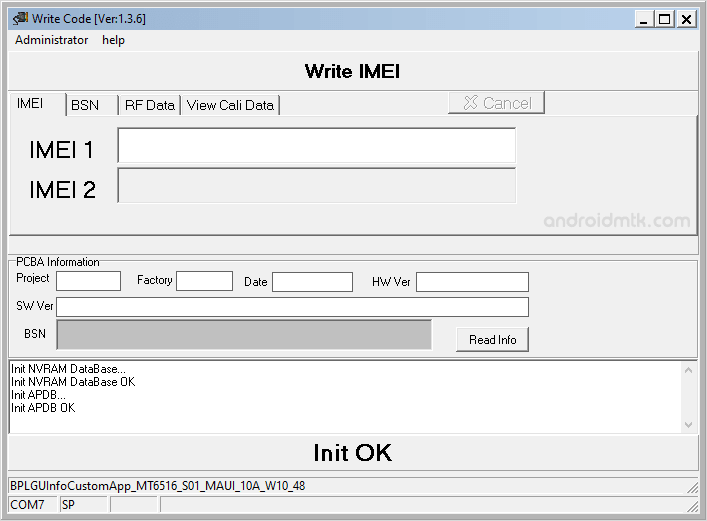
WriteCode IMEI Tool is a lightweight Windows utility designed specifically for flashing IMEI numbers on MediaTek-powered devices, ranging from modern smartphones to classic feature phones, through a simple user interface.
Features of WriteCode Tool
WriteCode IMEI Tool makes it very easy to fix or update your device identifiers using a simple process that anyone can follow on a Windows computer.
Portable Application
The WriteCode IMEI Tool is fully portable, meaning no complex installation is required. Extract the downloaded ZIP package and run the executable file to start managing your MediaTek device immediately.
Supports Mediatek Devices
WriteCode Tool provides robust support for a wide range of MediaTek hardware. It allows users to flash or write IMEI data to both single and dual-SIM smartphones and feature phones.
No Database Files Needed
Unlike other tools, this application comes with internal AP DB files. You can successfully flash the IMEI on your device without searching for or loading external database files manually during setup.
Extra Database Support
Beyond basic IMEI writing, the WriteCode Tool handles advanced tasks. It allows you to write BSN and RF databases or read the Calibre database, providing deeper control over your device’s internal configuration.
User-Friendly Interface
WriteCode Tool features a clean and straightforward layout that simplifies the flashing process. Even beginners can navigate the options easily, ensuring a quick and successful update without any technical confusion.
Download WriteCode Tool
The following links provide the tool for Windows (32-bit or 64-bit).
| Version | Download |
|---|---|
| v1.3.6 | Link |
Notes
- Supports only Mediatek chipsets: WriteCode only allows you to write IMEI on devices powered by the Mediatek Chipset.
- Caution: Flashing IMEI other than the Original IMEI is Illegal in many countries and may cause serious trouble to you.
- What’s the current IMEI Number? To know the current IMEI number of your device, Dial *#06# on the device. You can also find the IMEI number on the back sticker of your device (the label is visible after removing the battery).
- Alternative Tool: SN Write Tool, Read&Write Tool and MTK IMEI Tool are the best alternative to WriteCode IMEI Tool.
- Credits: The WriteCode tool was created and distributed by AGold Communication (Shanghai) Co., Ltd. So, full credit goes to them for sharing the tool for free.

