


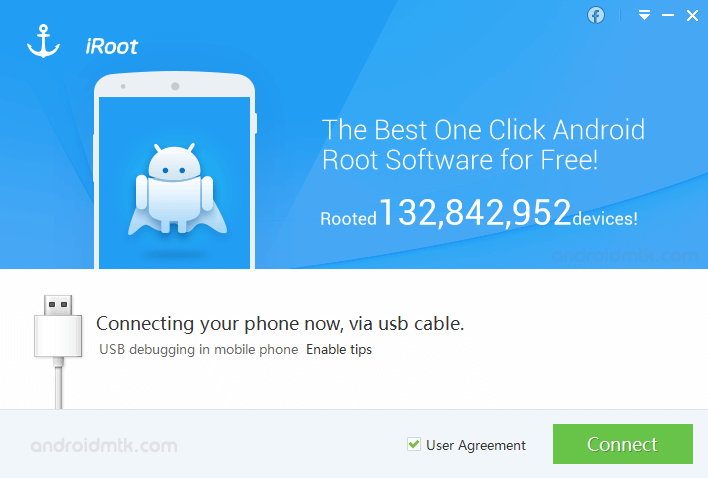
iRoot Application (formerly known as vRoot) is a powerful one-click utility that allows you to root Android devices running 2.2-4.4.
Features of the iRoot Application
Discover how this tool simplifies rooting with built-in features designed for legacy Android devices.
Windows Installer
The iRoot functions as a desktop installer for your PC. Extract the files, install the software, connect your mobile device via USB, and follow the simple on-screen rooting instructions.
One-Click Root
This feature simplifies the entire process into a single action. Once your device is connected and recognized by the software, clicking the primary button initiates the full automated rooting sequence.
Recovery Mode Root
If the software encounters difficulties rooting your device in normal mode, it will automatically reboot your phone into recovery mode to attempt the process again using a more advanced method.
Extra Features
After successfully rooting your device, the iRoot includes helpful system utilities, such as a built-in cleaner and an alternative app store, both of which can be managed or removed as needed.
Download iRoot Application
iRoot is compatible with a wide range of hardware running Android 2.2 through 4.4. Use the table below to obtain the specific version you need for your Windows computer:
| Version | Download |
|---|---|
| v1.7.3.48630 | Link |
| v1.7.6.58990 | Link |
| v1.7.9.10454 | Link |
| v1.8.5.15285 | Link |
| v1.8.6.19461 | Link |
| v1.8.6.20009 | Link |
| v1.8.7.20299 | Link |
| v1.8.7.20375 | Link |
| v1.8.8.20457 | Link |
| v1.8.8.20457 | Link |
| v1.8.9.21144 | Link |
Notes
- How to use: To learn how to use the software safely, visit our How to use iRoot Application guide.
- iRoot Android App: You can also root your device directly without a PC. Access the iRoot mobile APK here.
- Alternative Apps: For more options, explore our One-Click Root Application section.
- Credits: iRoot is developed by Shenzhen. All credits go to the original developers for providing this tool for free.

