


Huiye Download Tool is a small Windows application that allows you to flash Stock Firmware on devices powered by Qualcomm chipsets.
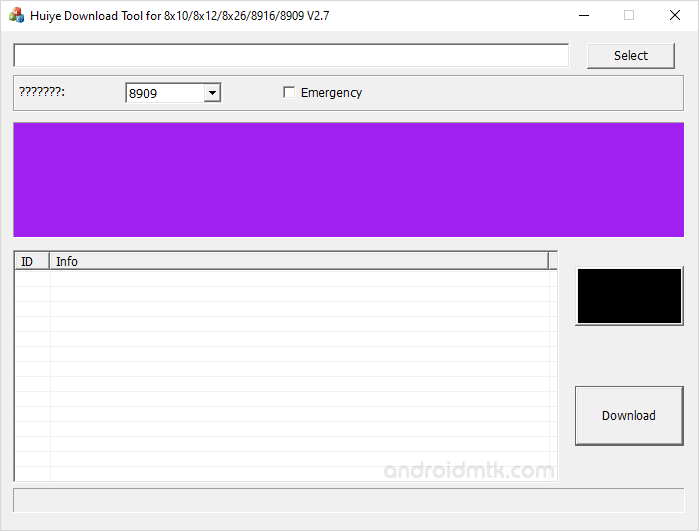
Features of Huiye Download Tool
This simple tool offers several powerful features that help you manage your mobile firmware. It is easy to use and works quickly on most Windows computers and laptops.
Portable Application
Huiye Flash Tool comes as a portable application that doesn’t require installation on the computer to use. The overall interface is immaculate and comes with buttons.
Extensive Support
Huiye Flash Tool helps you flash stock firmware or XML files on Qualcomm smartphones and tablets. The latest version supports multiple chipsets, including 8909, 8916, 8932, 8952, 8×10, 8×12, and 8×26.
Flashing Mode
Huiye Flash Tool lets you flash the stock firmware in multiple modes, including Normal and QDLoader. QDLoader is the emergency mode, which you can select using the dedicated checkbox.
Advanced Controls
Versions like v1.0 and v2.2 let you manually add raw program files, patch files, and mbn files. You can also lock or unlock settings using the integrated unlock button.
User Interface
Huiye Flash Tool features a very basic layout designed for efficiency and speed. It focuses on essential functions to ensure that users can complete the flashing process without any confusion.
Download Huiye Download Tool
The following links let you download the tool for Windows (32-bit or 64-bit).
| Version | Download |
|---|---|
| v1.0 | Link |
| v1.0.1 | Link |
| v1.2 | Link |
| v2.2 | Link |
| v2.7 | Link |
| v2.8 | Link |
| v2.9 | Link |
Notes
- How to Use: If you want to learn to use the tool to flash the firmware, then head over to How to use Huiye Download Tool page.
- Alternative Tool: We have shared a bunch of tools that also allow you to flash or install stock firmware on Qualcomm Devices. You can check them all from our Qualcomm Tool section.
- Qualcomm USB Driver: If you are looking for the original Qualcomm USB Driver, then head over to the Qualcomm USB Driver page.
- Credits: Huiye Download Tool was officially created by Qualcomm Mobility, LLC. So Full credit goes to him for providing the application for free.

