


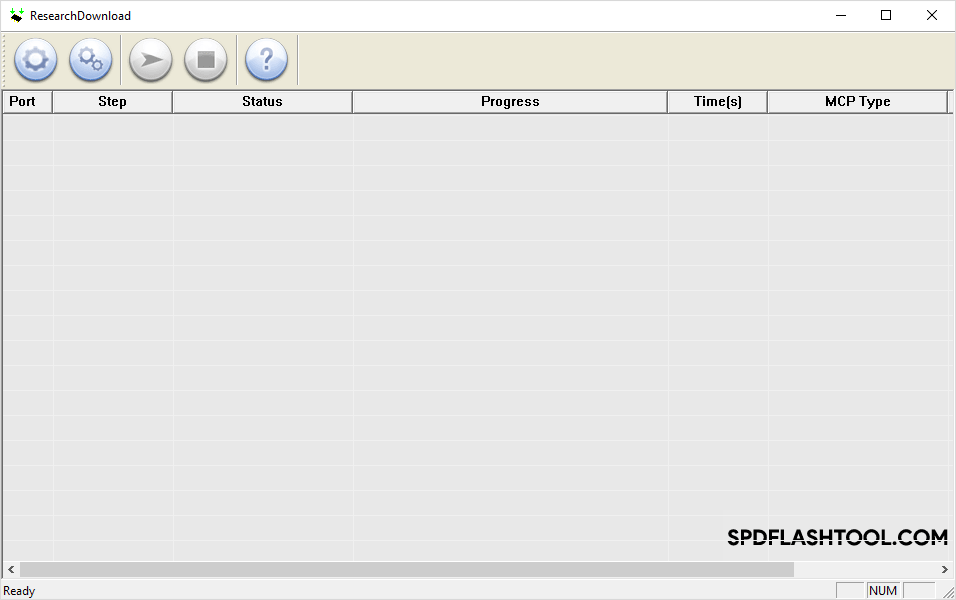
SPD Research Tool is a small utility for Windows computers that allows you to flash the stock firmware (PAC) on Spreadtrum/Unisoc-powered smartphones, Feature Phones, and tablets.
Features of SPD Research Tool
Discover the useful capabilities of this tool that help you manage and repair your mobile device firmware, recovery files, and system settings with ease and high efficiency.
Easy Interface
Research Tool offers a simple and user-friendly interface. You can quickly load firmware files and manage complex settings, such as flash operations, language options, and LCD configurations, without any hassle.
Flash Stock Firmware
Research Tool allows you to install .pac-based stock firmware on various Spreadtrum and Unisoc devices. It is often more reliable and convenient than the standard SPD Upgrade Tool.
Flash Recovery
You can easily flash stock or custom recovery files on your device. This feature also supports flashing root packages, giving you more control over your smartphone’s internal software system.
Other Options
Research Tool provides advanced settings for multi-language support, LCD configuration, and MCP types. It also handles volume-frequency tuning, active-flash reading, and erasing or writing to active flash.
Universal Support
Research Tool supports a wide range of Spreadtrum and Unisoc chipsets. It ensures compatibility across various generations of mobile hardware, making it a versatile solution for different phone models.
Download SPD Research Tool
The following links provide the tool for Windows (32-bit or 64-bit).
| Version | Download |
|---|---|
| R2.9.6011 | Link |
| R2.9.7002 | Link |
| R2.9.7003 | Link |
| R2.9.7006 | Link |
| R2.9.7007 | Link |
| R2.9.7008 | Link |
| R2.9.7009 | Link |
| R2.9.7017 | Link |
| R2.9.8004 | Link |
| R2.9.8005 | Link |
| R2.9.9005 | Link |
| R2.9.9009 | Link |
| R2.9.9015 | Link |
| R2.9.9016 | Link |
| R2.9.9017 | Link |
| R2.10.1001 | Link |
| R2.10.1003 | Link |
| R3.0.0001 | Link |
| R3.0.900 | Link |
| R3.15.4901 | Link |
| R4.0.0001 | Link |
| R6.0.0001 | Link |
| R7.0.0001 | Link |
| R8.0.0001 | Link |
| R17.0.0001 | Link |
| R19.0.0001 | Link |
| R21.0.0001 | Link |
| R22.19.1301 | Link |
| R23.0.0001 | Link |
| R23.19.3301 | Link |
| R23.19.5101 | Link |
| R24.0.0003 | Link |
| R25.20.3901 | Link |
| R25.20.5301 | Link |
| R25.21.1401 | Link |
| R26.22.1601 | Link |
| R27.22.4203 | Link |
| R27.22.4204 | Link |
| R27.23.0101 | Link |
| R27.23.1902 | Link |
| R27.24.1301 | Link |
| R27.24.2301 | Link |
| R27.25.4601 | Link |
Notes
- How to Use: If you want to learn to use the Research Tool to Flash Stock firmware, then head over to How to use SPD Research Tool page.
- Alternative: SPD Upgrade Tool and SPD Factory Tool are the best alternative to Research Tool. Spreadtrum officially offers both tools, with the same interface and features.
- How to Write IMEI: After flashing (installing) the stock firmware on a Spreadtrum Device, you may need to flash (install) the IMEI. To flash the IMEI on your Spreadtrum device, check out the WriteIMEI and Read&Write Tool.
- Credits: Research Tool shared on this page is made available by UniSoc Communications, Inc. So, full credit goes to them for sharing the tool for free.

