


Asus Zenfone Flash Tool is a small Windows application that allows you to flash or install Stock Firmware on Asus Zenfone Devices.
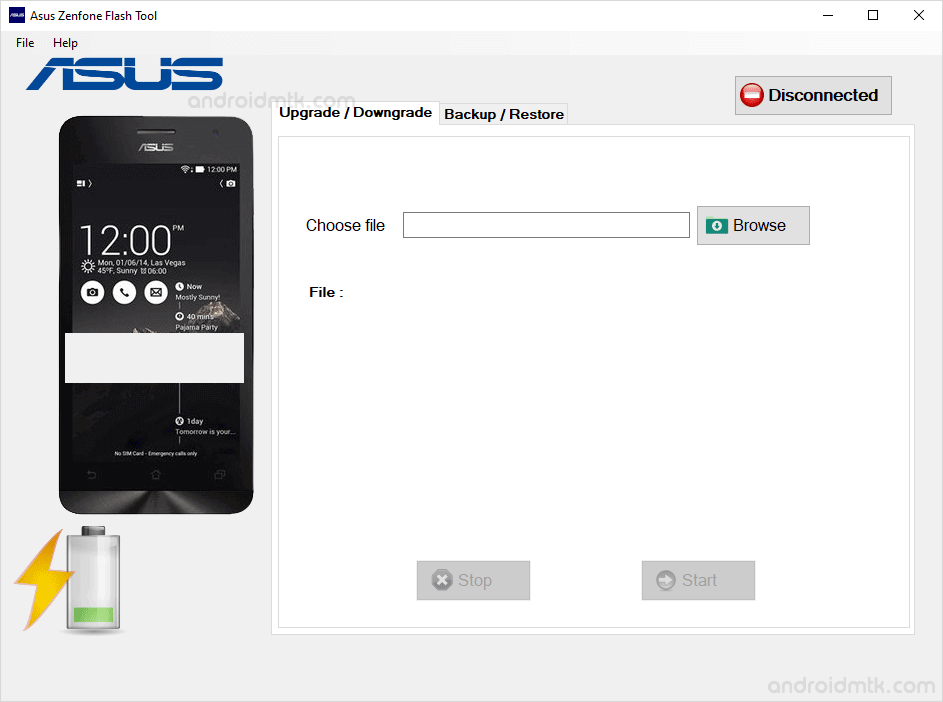
Features of Asus Zenfone Flash Tool
This handy tool offers several useful options to help you manage your mobile software. It is easy to use and works perfectly on most Windows computers for all users.
Flash Firmware
Easily install stock firmware on your Asus Zenfone smartphone or tablet. Launch the tool on your PC, connect your mobile device, select the correct firmware file, and start flashing.
Backup Apps
This feature helps you save all your installed applications directly to your computer. While it quickly backs up the APK files, please note that it does not save individual app data.
Backup System Apps
Securely export pre-installed system applications from your Asus device to your Windows PC. Zenfone Flash Tool saves these files in .ab format, so you can access them whenever needed.
Restore Backup
Quickly restore any previous backups you have created with this utility. This includes both your custom user applications and original system apps, making it easy to revert changes on your device.
Simple Interface
Zenfone Flash Tool features a clean and straightforward layout designed for beginners. You can navigate all the flashing and backup options without advanced technical knowledge or complex setup steps.
Download Asus Zenfone Flash Tool
The following links let you download the tool for Windows (32-bit or 64-bit).
| Version | Download |
|---|---|
| v1.0.7 | Link |
| v1.1.1 | Link |
| v1.1.4 | Link |
| v1.1.7 | Link |
| v1.2.4 | Link |
| v1.3.4 | Link |
| v1.4.1 | Link |
| v1.4.3 | Link |
| v1.4.5 | Link |
| v2.0.1 | Link |
Notes
- How to Use: If you want to learn to use Zenfone Flash Tool, then head over to How to use Asus Zenfone Flash Tool page.
- Asus Stock Firmware: If you are looking for the original firmware for your Asus device, then head over to Download Asus Stock Firmware page.
- Asus USB Driver: If you are looking for the original USB Driver for your Asus device, then head over to Download Asus USB Driver page.
- Credits: Asus Flash Tool is created and distributed by Pawneshwer Gupta (xdablogs). So, full credit goes to him for sharing the application for free.

