


Phoenix USB Pro is a powerful Windows application designed to help users flash or install stock firmware (ROM) on devices running Allwinner chipsets, including the A10, A13, A20, and A31 series.
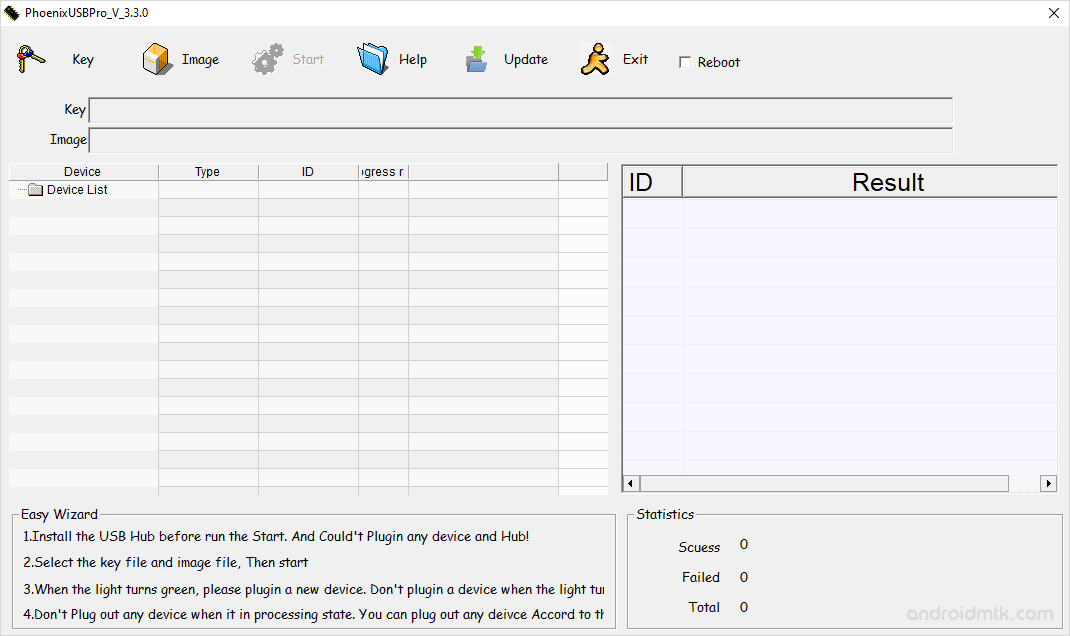
Features of Phoenix USB Pro
Phoenix USB Pro provides simple ways to manage your device software. Here are the main features that help you quickly fix or update your Allwinner tablet or smartphone.
Firmware Flashing
It allows users to flash or install firmware on devices powered by Allwinner chipsets. This feature enables users to reinstall, downgrade, or update the firmware.
Update Firmware
It allows users to upgrade the device to the latest firmware version, improving performance and security. This feature is a great way to keep your hardware running.
Built-in Debug View
It includes a built-in Debug View feature that lets users monitor firmware flashing progress in real time. This provides detailed information about errors, status, and diagnostic data.
Work Without a Key
Version 4.0.0 and later no longer require a key for use, providing greater convenience and flexibility for users to flash firmware and perform other functions on their devices easily.
Universal Windows Support
Phoenix USB Pro is fully compatible with all versions of Windows. It runs smoothly on older systems like XP and modern ones like Windows 10 or 11.
Download Phoenix USB Pro
It is compatible with all versions of Windows, from Windows XP to Windows 11 (32-bit or 64-bit). If you are looking for the latest version of the tool, use the following links to get it on your computer:
| Version | Download |
|---|---|
| v3.0.1 | Link |
| v3.3.3 | Link |
| v3.3.4 | Link |
| v4.0.0 | Link |
| v4.0.5 | Link |
| v4.1.0 | Link |
Notes
- How to Use: If you want to learn how to use the Phoenix Pro tool to flash or install the firmware, then head over to the How to use Phoenix USB Pro page.
- Caution: Flashing or installing firmware using the above tool will wipe the data from the device, so we recommend that users back up their data before using it.
- Alternative Tool: We have also shared a list of tools that allow users to flash or install Firmware on Allwinner Devices. You can check them all from our Allwinner Tool Section.
- Credits: PhoenixUSBPro is created and distributed by Allwinner Technology Co., Ltd. So, full credit goes to them for sharing the tool for free.

