


360OS MDT Tool is a Windows-based utility developed by the MDT Team for 360OS devices. It enables efficient flashing of .cpb firmware packages on Spreadtrum, MTK, and Qualcomm platforms.
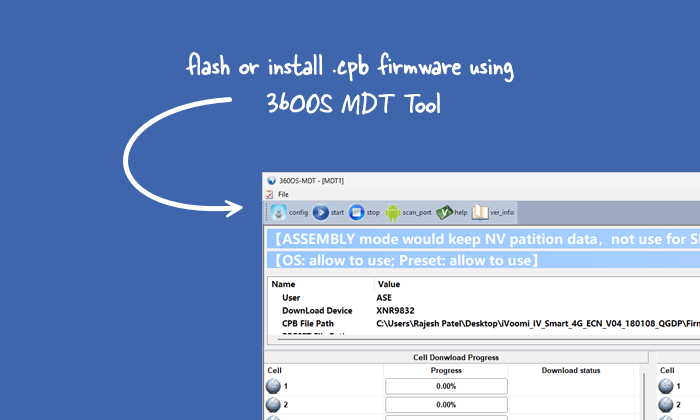
Features of the 360OS MDT Tool
Explore the powerful capabilities of this utility that make firmware flashing simple, reliable, and highly effective for SMT and Assembly production lines handling various mobile platforms.
Multi-Platform Support
MDT Tool currently supports Spreadtrum, MTK, and Qualcomm platforms for seamless firmware flashing operations. Users can flash .cpb packages across these chipsets without needing separate tools for each platform.
Dual Mode Operation
It provides dedicated SMT and Assembly versions. SMT mode handles blank board flashing with data erase, while Assembly mode supports firmware upgrades, preserving calibration and NV data for production efficiency.
Multi-Threaded Flashing
MDT supports up to 16 simultaneous download threads. Each thread displays real-time progress in the message area, allowing high-volume production stations to flash multiple devices quickly and monitor status easily.
CPB Package Handling
It automatically unpacks .cpb firmware files upon login. It validates packages, handles preset files, and ensures all necessary components are ready before initiating the download process.
Comprehensive Logging System
It generates detailed logs, including unpack, share, download, Spreadtrum platform, and dump logs. Users can turn logging options on or off and choose custom save paths for troubleshooting and record-keeping.
Port Scanning and Configuration
Built-in scan port function detects download ports after triggering device-specific actions. Advanced configuration options allow customisation, while default settings ensure safe and optimal flashing performance.
Download 360OS MDT Tool
The following links let you download the tool for Windows (32-bit or 64-bit).
| Version | Download |
|---|---|
| 1.1.0 | Link |
Notes
- How to Use: If you want to learn how to use the MDT Tool utility to flash CPB Firmware, then head over to the How to Flash CPB using MDT Tool page.
- Driver Requirement: Install platform-specific USB drivers (Qualcomm, Spreadtrum, MTK) before use. Restart the PC after driver installation, then verify the download ports in Device Manager.
- Trigger Actions: Use volume keys or power button combinations to enter download modes. Actions differ slightly between SMT, Assembly, and platforms.
- EFuse Handling: SMT stations perform EFuse based on the CPB header. Only signed 360OS packages are allowed on EFuse-enabled devices to prevent boot issues.
- Credits: MDT Tool is developed and maintained by the MDT Team at Qiku Internet Network Scientific (Shenzhen) Co., Ltd for 360OS production use.

