


MTK Droid Tool is a lightweight Windows application designed specifically for MediaTek-powered devices. It provides a suite of essential utilities, including the ability to root your phone, create scatter files, and perform full backups of your stock firmware.
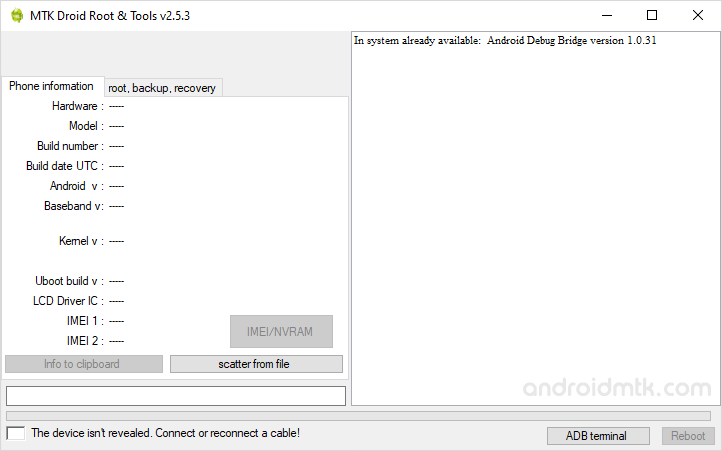
Features of MTK Droid Tool
This handy tool offers several powerful options to help you manage and customize your MediaTek smartphone. Here are the main features you can use right from your Windows computer.
Root Android Phone
Easily gain root access to your device with a single click. Enable USB debugging, connect your phone to the PC, and use the tool to unlock system-level permissions.
Backup Recovery
This feature allows you to back up your device’s stock recovery image safely. You can also use the tool to restore the recovery later if you need to revert changes.
Backup Stock Firmware
Create a complete copy of your phone’s operating system and save it to your computer. This ensures you have a reliable backup that can be restored if software issues occur.
Create Scatter File
Generate the essential blocks, or scatter files, required for flashing firmware. These files are vital for using other tools to install or update the official software on MediaTek devices.
Write IMEI
Easily back up and restore your device’s IMEI information. While it is primarily designed for MediaTek chipsets, this feature also supports several other mobile processor types and brands.
Download MTK Droid Tool
Use the links below to download the tool version that best suits your needs. It is compatible with both 32-bit and 64-bit versions of Windows.
| Version | Download |
|---|---|
| v2.2.9 | Link |
| v2.3.4 | Link |
| v2.4.0 | Link |
| v2.4.7 | Link |
| v2.4.8 | Link |
| v2.5.0 | Link |
| v2.5.1 | Link |
| v2.5.2 | Link |
| v2.5.3 | Link |
| v2.5.3B | Link |
Password to Extract: MTK
Notes
- MediaTek Devices: This tool is specifically built for MediaTek hardware. While it may recognize other chipsets, certain features might not function correctly or could cause errors on non-MTK devices.
- Security Alert: MTK Droid Tool uses specific Android exploits to gain root access. Because of this, many antivirus programs will flag the application as a virus or malware.
- Caution: Rooting or modifying IMEI data can result in data loss. Always perform a full backup of your personal files before using any of these advanced features.
- Credits: MTK Droid Tool was developed and distributed by rua1 via the XDA forums. All credit for this free utility goes to the original developer.

