


QMobile Android PC Suite is the official PC Suite application that allows you to manage your QMobile smartphones and Tablets from a Windows Computer.
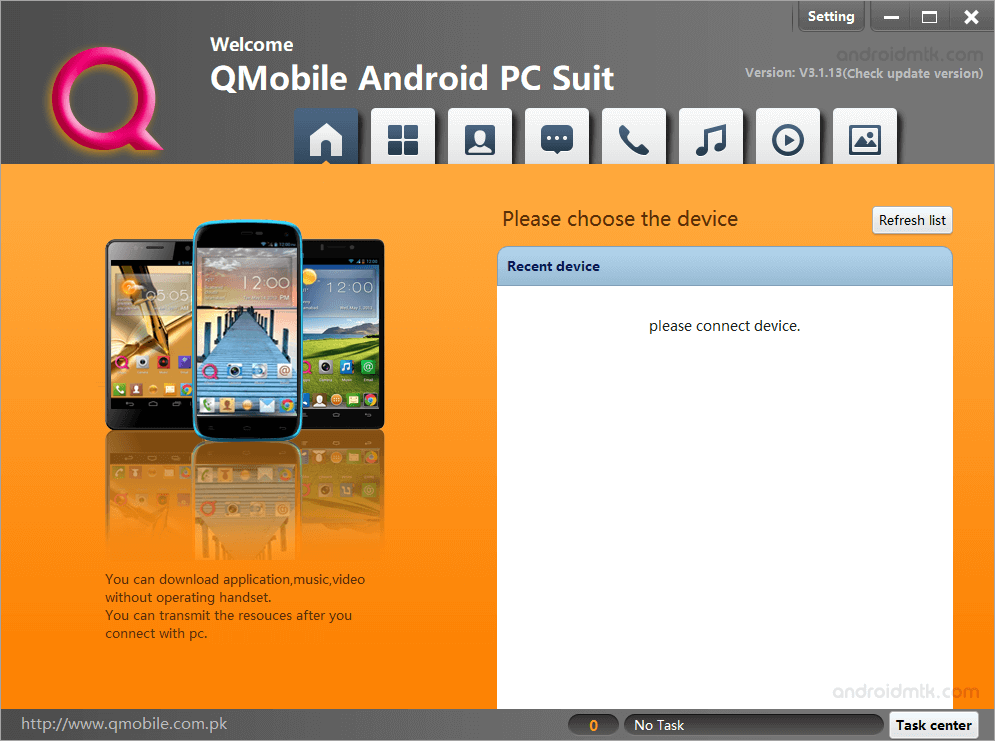
Features of QMobile Android PC Suite
QMobile PC Suite helps you control your phone from a computer. It makes it easy to move files, update your apps, and keep all your mobile data safe.
Quickly Connect your Device
It lets you quickly connect your QMobile smartphones and Tablets to your Windows Computer without installing any extra USB Drivers on your local system.
Manage Apps
Using this feature, you can install or remove any application on your QMobile device. In addition, it allows you to export the applications from your device to the computer.
Manage Contacts
Using this feature, you can quickly create or delete Contacts from your QMobile Device. It also lets you delete multiple contact entries with a single mouse click.
Manage Messages
Using this feature, you can easily create, reply to, or delete messages from your device. This feature is very convenient for users who want to write long notes quickly.
Manage Calls
Using this feature, you can see the call logs on your device, including incoming, outgoing, and missed calls. It also lets you delete logs very quickly.
Manage Music and Videos
This feature lets you quickly transfer music and videos from your computer to the device. It also lets you easily set up the ringtone on your device.
Manage Picture
This feature lets you transfer images from the computer to your QMobile Device. You can also quickly export your favourite pictures from your mobile device to the laptop storage.
Backup and Restore
This feature lets you create a full backup of your phone data on your PC. You can restore your files quickly if you ever reset your mobile device.
Download QMobile Android PC Suite
The following links provide the tool for Windows (32-bit or 64-bit).
| Version | Download |
|---|---|
| V3.1.13 | File Link |
Notes
- Compatible: QMobile PC Suite is compatible with Windows XP, Windows Vista, Windows 7, Windows 8, Windows 8.1 and Windows 10.
- Qmobile Stock Firmware: If you are looking for your device’s original firmware, head over to the Qmobile Stock Firmware page.
- Qmobile USB Driver: If you are looking for your device’s original USB Driver, head over to the Qmobile USB Driver page.
- PC Suite: If you are looking for PC Suite Applications for other Mobile Brands, head to our PC Suite Section.
- Credits: QMobile Company officially creates QMobile Android PC Suit. So, full credit goes to them for sharing the tool.

