


SPRD WriteIMEI Tool is the official utility designed for writing IMEI, SN, BT address, and other critical identifiers to Spreadtrum (SPRD) devices.
Features of SPRD WriteIMEI Tool
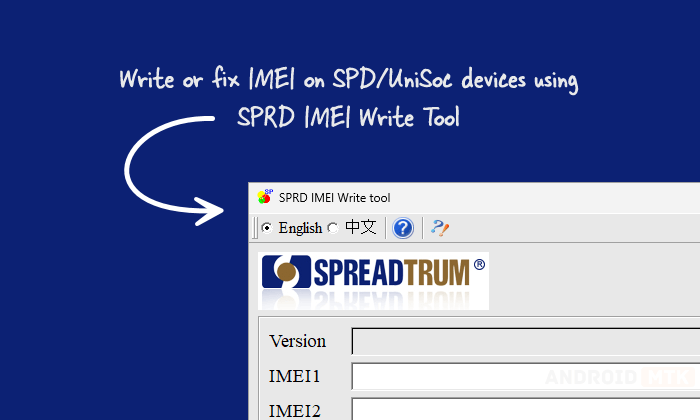
SPRD WriteIMEI Tool offers a clean and user-friendly interface with powerful configuration options for writing essential device identifiers. Exploring each feature will help you understand its function and benefits.
IMEI Writer
SPRD WriteIMEI Tool allows writing up to 4 IMEI numbers with flexible generation modes. It supports manual input, default values, stepwise accumulation, loading from Excel files, and custom masked patterns.
SN Writer
It supports writing Mobile Serial Number (MBSN) and Product Serial Number (PSN) using manual keyboard/scanner input, automatic date-based generation, Excel file loading, or custom masked number generation with limited counts.
Bluetooth Address Writer
Users can easily enter Bluetooth addresses manually with valid numbers/letters, or automatically generate them by time or address range. It validates input and supports continuous plug-and-play operations for efficient batch processing.
Setup Options
The comprehensive setup dialogue lets users configure connection mode (USB/COM), phase check, version check, repeatability check, save options, and individual settings for IMEI, SN, and BT writing behaviour in one place.
Port & Device Detection
It automatically detects and displays the connected Spreadtrum device port (USB-1-1-3 or similar). It shows “Port (none)” when no device is connected and supports seamless device switching during operations.
Continuous Plug Operation
Except for manual input mode, all generation methods support automatic continuous workflow. After writing, unplug the device and plug in the next one; it detects the device instantly and proceeds without extra clicks.
Real-time Status & Logging
A large information box displays detailed write process logs, and the status bar clearly shows current states such as Idle, Writing, Finished, Unmount, or Error, with colour-coded visual feedback.
Version Check Support
Built-in version checking ensures safe operations. Users can input a version number for verification before write/read, or leave it empty to read the current version from the device automatically.
Multi-Language Interface
It supports easy switching between English and Chinese languages directly from the toolbar, making it accessible for technicians worldwide without any additional configuration.
One-Click Write/Read/Stop
Dedicated buttons allow users to start writing, read current values, stop ongoing operations, or exit the program instantly, providing full control over the entire IMEI/SN/BT writing process.
Download the SPRD WriteIMEI Tool
Following are the Download links from which you can download the tool for Windows (32-bit or 64-bit).
| Version | Download |
|---|---|
| 10.00.01 | Link |
Notes
- USB Connection: Ensure the Spreadtrum device is properly connected via USB. It automatically detects the port once the device is recognized.
- Device Mode: The Spreadtrum/UniSoc phone should be in the correct diagnostic or download mode for successful IMEI/SN/BT writing operations.
- Caution: Writing incorrect IMEI or serial numbers may affect device functionality or violate local regulations. Use only with proper authorization and for legitimate repair purposes.
- Credits: WriteIMEI Tool is created and distributed by Spreadtrum Communications, Inc. So, full credit goes to them for sharing the Application for free.

