


Android Toolkit is a comprehensive cross-platform GUI application developed by Team Nocturnal, designed specifically for Android enthusiasts, developers, and power users.
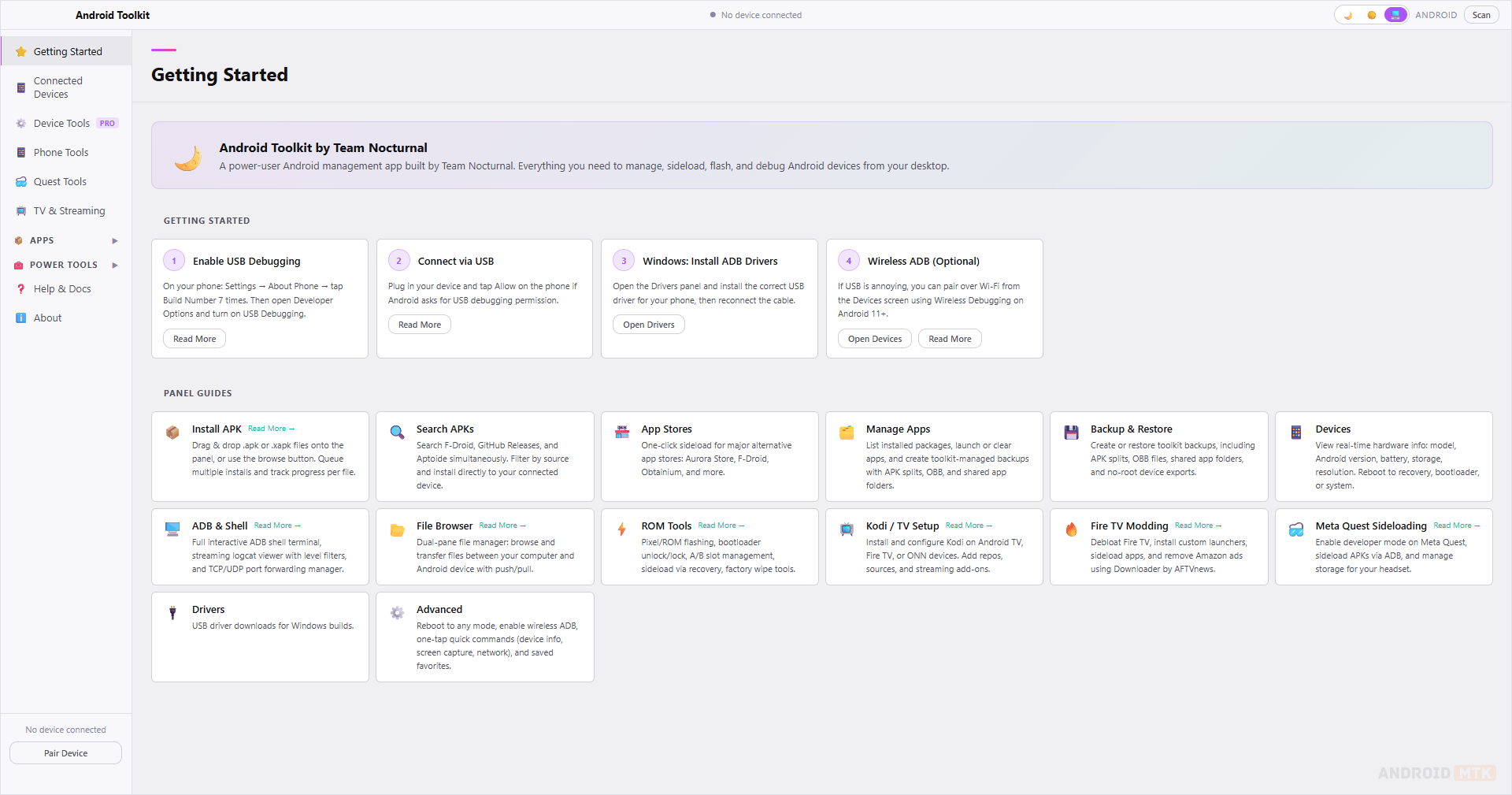
Features of Android Toolkit
Android Toolkit delivers a modern, intuitive interface that unifies scattered ADB and Fastboot tasks into one clean application. Each feature is carefully crafted to boost productivity while supporting both beginners and experienced Android modders.
APK Installer with Queue Support
Android Toolkit lets users install single or multiple APKs, with full queue support and automatic split-package handling. It scans local folders, supports drag-and-drop, and provides progress tracking with detailed installation logs for reliable sideloading.
App Search and Package Sources
The built-in search lets you find APKs from local storage and supported online sources in one unified interface. Results include version info, descriptions, and direct download/install options for faster app acquisition and management.
App Manager
Manage all installed packages with powerful tools to launch, inspect details, clear cache/data, uninstall, disable, backup, or restore apps. It also supports bulk operations and detailed permission reviews for complete control over your device.
ADB Pairing and Device Management
Connect devices effortlessly via USB or wireless ADB pairing with QR code or code support. Save frequently used devices, switch between them quickly, and access reboot options, diagnostics, and shell commands from a centralized panel.
File Browser with Dual Panes
Browse both local computer files and the device’s filesystem side-by-side. Perform direct transfers, copy, paste, rename, delete, and manage permissions with an intuitive dual-pane layout that simplifies push/pull operations.
Backup and Restore Tools
Create full or selective backups of apps and data, and perform no-root exports. Restore previous backups with a single click, schedule automated tasks, and securely store APK and data packages for easy device migration or recovery.
TV and Streaming Device Workflows
Optimized tools for Fire TV, Google TV, Shield, and other streaming boxes. Quickly sideload apps, manage system settings, adjust resolutions, enable developer options, and apply TV-specific tweaks without manual commands.
Quest Tools and VR Workflows
Dedicated section for Meta Quest headsets with specialized ADB commands for app management, file access, performance tweaks, and VR-specific maintenance. Install sideloaded games or tools and manage storage efficiently.
ROM Tools and Maintenance
Advanced utilities for ROM flashing, partition management, custom recovery operations, and device maintenance. Includes one-click scripts for common tweaks, cleaning bloatware, optimizing performance, and preparing devices for custom ROMs.
ADB Shell and Advanced Controls
Access a powerful integrated terminal with command history, autocomplete, and output search. Run complex shell scripts, monitor logs in real-time, and execute power-user commands while keeping the full GUI workflow available.
Device Diagnostics and Tweaks
View comprehensive device information, including hardware specs, Android version, root status, and battery health. Apply various maintenance tweaks, performance optimizations, and customization options tailored for different Android device types.
Download Android Toolkit
The following links provide the latest stable versions of Android Toolkit for Windows and macOS. Choose the platform that matches your desktop environment.
| Version | Windows | Linux | Mac |
|---|---|---|---|
| 2.0.0 | Link | – | Link |
| 2.0.1 | Link | – | Link |
| 2.0.2 | Link | – | Link |
| 2.0.3 | Link | Link | Link |
| 2.0.4 | Link | Link | Link |
Notes
- ADB & Fastboot Drivers: Ensure the latest USB drivers for your Android device are installed. Use official manufacturer drivers or universal ADB drivers for the best compatibility.
- USB Debugging: Enable USB Debugging in Developer Options on your Android device to ensure most features function properly.
- Credits: Android Toolkit is developed by Team Nocturnal. Full credit goes to the team for providing this powerful free tool to the Android community.

